Data entry service,
done before lunch.
Upload your PDFs, scans or messy spreadsheets. Say which columns you need. Get one clean Excel file back.
Cancel any time. Refund within 14 days if it misses.
How it works
Upload
PDFs, phone photos, scans, Excel or CSV. Up to 50 files per batch.
Name your columns
In plain words, or just say "one row per invoice". Paste an example row if you have one.
Get one clean file
Excel, usually within the hour, with a Review tab listing every value it was unsure of.
A real example
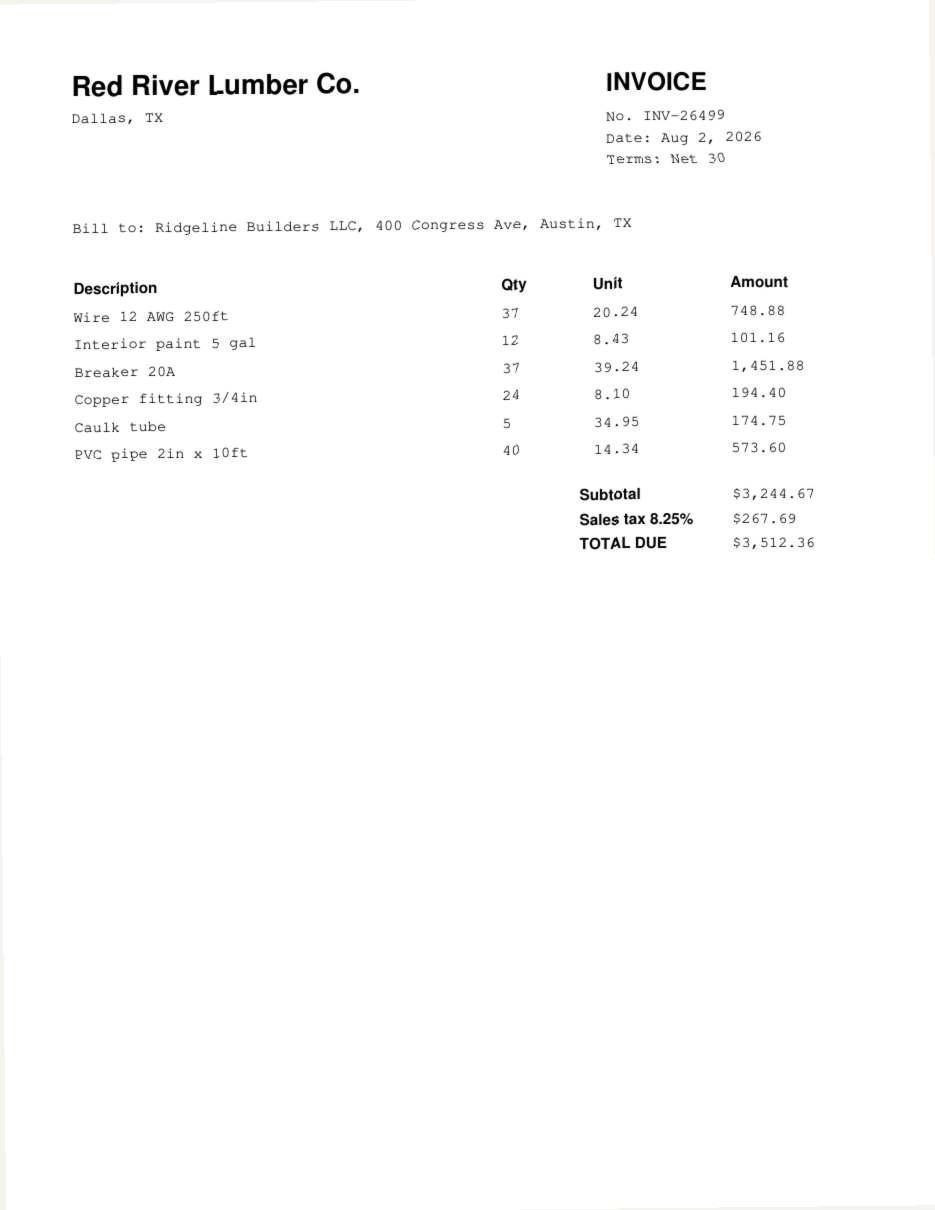
Request: "One row per invoice: vendor, invoice number, date, due date if shown, subtotal, sales tax, total. Plus a second sheet with every line item."
Back in 33 seconds: 10 invoice rows, 45 line items, every total checked against its lines, dates unified to ISO, 0 values left to review.
| vendor | invoice_number | date | due_date | subtotal | sales_tax | total |
| Bayou Electric Wholesale | INV-48140 | 2026-07-03 | 4,606.45 | 380.03 | 4,986.48 | |
| Bayou Electric Wholesale | INV-92016 | 2026-09-05 | 2,211.44 | 182.44 | 2,393.88 | |
| Gulf Coast Fasteners | INV-23342 | 2026-07-28 | 1,963.68 | 162.00 | 2,125.68 | |
| Gulf Coast Fasteners | INV-64833 | 2026-08-16 | 3,499.43 | 288.70 | 3,788.13 | |
| Hill Country Paint & Coatings | INV-28158 | 2026-08-03 | 1,166.05 | 96.20 | 1,262.25 |
What it does
- Reads typed PDFs, scans, phone photos and clear handwriting
- One clean table to your columns, dates and number formats consistent
- A Review tab listing every value it was unsure of, with the source file and page
- Totals checked against the document where the document shows a total
- Dedupes and normalizes existing spreadsheets
- Keeps the source file and page next to each row, so you can spot-check fast
What it won't do
- Typing into your CRM, ERP or website: you get a file, you import it
- Medical records or other regulated data under HIPAA: please do not upload them
- Guaranteeing 100%: nobody typing data does. That is why the Review tab exists
- Web scraping or finding contact data online
What people pay for this today
| Upwork job budget, data entry (median fixed price) | $80 per job |
| Open Upwork jobs mentioning data entry or spreadsheets, Nov 5 2026 | 6,316 |
| Outsourced data entry firms, advertised | from $7 an hour, with minimums |
| MyClawn Data | from $29 a month |
Upwork numbers are our own count of 97,789 public job listings on Nov 5 2026.
Pricing
Questions
What is an online data entry service?
You send documents and get the data back in a spreadsheet, instead of typing it yourself or hiring someone by the hour. MyClawn Data reads each page with AI and fills your columns.
How accurate is it?
On clean typed documents it is close to perfect, and it checks totals against the document where it can. On poor scans or handwriting it will miss things, so every uncertain value is listed in a Review tab with its source page. Spot-check that tab and you are done.
Is it a person typing?
No, it is AI. That is why it takes minutes and costs a fraction of an hourly clerk. Your files are not seen by a person unless you ask us for help.
How much can I send?
Up to 50 files per batch, up to 300 MB each. Very long batches of several hundred pages can take longer; split them if you need them faster.
Is my data safe?
Files are stored on our servers in Germany and handled in an isolated workspace that only reaches our AI processing provider, under terms that exclude training. They are deleted after 30 days. Do not upload health records or card numbers.
What if the result is wrong?
Reply with what to fix; each batch includes two rounds of changes. If it still misses, email us within 14 days and we refund your month.
Can I cancel?
Any time, from your account page. You keep access until the end of the paid month.